Solitaire
Mouse GamesCard
4.543.77K Reviews
- Version
- 5.9
- Installs
- 10.00M
- Age Rating
- Everyone
Screenshots
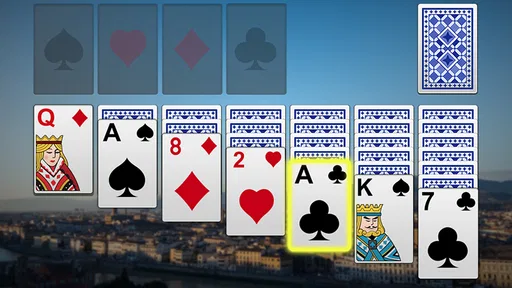
Our Review of Solitaire
 Analysis by Appyee
If you're anything like me, there are times when you just need a little breather, something to break the monotony of the day. That's where Solitaire comes into play. Yes, the classic card game that many of us have played on our computers for years is now available as a handy app for your mobile device.
Where the little snags tend to start
With a familiar card game, I expect to open it and get moving quickly, and that is still the main appeal here. The friction is less about learning what Solitaire is and more about deciding what sort of session I want. A quick deal is easy to fit into a spare moment; a challenge or a personal-best chase can make that same break last longer than planned.
I also try not to treat a run of awkward deals as proof that I have forgotten how to play. Solitaire involves choices, but a deal can leave fewer useful moves than another. When I feel stuck, I pause before undoing a move repeatedly: first I scan the tableau for a card that could uncover a face-down card, then check whether a useful card can be moved to a foundation without blocking access elsewhere. That small order of checks is more helpful than moving cards just because they can move.
Getting comfortable before a longer session
For a first visit, I would keep setup simple. Start a regular game, make sure the card faces are comfortable to read on your screen, and only then spend time on appearance options. The app is free, and Mouse Games is the developer. It is rated for Everyone, so its card-game format suits a broad range of players, including someone who wants a calm, uncomplicated pastime rather than a story-driven game.
Personalization is useful when it improves visibility, not just when it looks attractive. If a background makes the edges of cards harder to distinguish, choose a calmer contrast; if a card design is less legible at a glance, switch back. On a small phone display, clear suits and ranks matter more than a decorative theme. I would make those adjustments once, then leave them alone so they do not become a distraction each time I open the game.
It is also worth matching the session to the moment. If I have only a minute, I play without turning the result into a score target. If I have more time, a daily challenge or a deliberate attempt to improve a personal best gives the game a clearer purpose. That distinction helps avoid the familiar trap of starting a supposedly tiny round and then watching the clock.
Why Solitaire Still Holds Up
You might be wondering why anyone would get excited about Solitaire in 2023. But trust me, this app has a way of hooking you in. The simplicity of the game is its charm. You don't need to learn complex rules or strategies. You just dive in and start moving cards around. It’s almost meditative in a way.
Features that Make a Difference
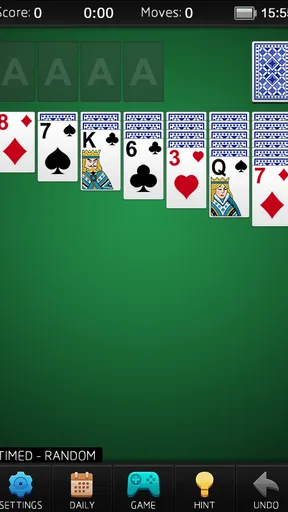
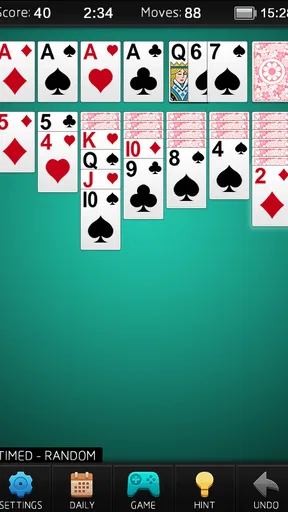
First off, the app's interface is clean and user-friendly. You won't find yourself fumbling through menus or settings. Everything is laid out intuitively, so you can get right to the game without any hassle.
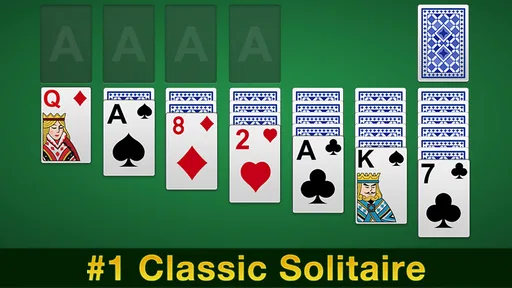
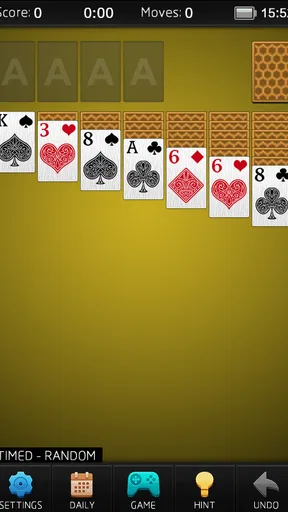
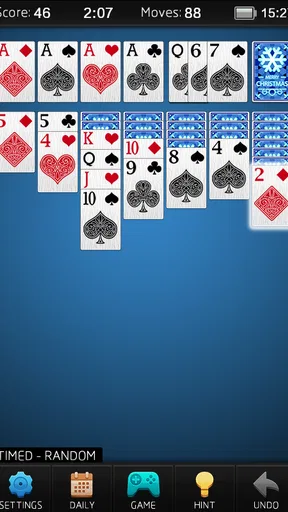
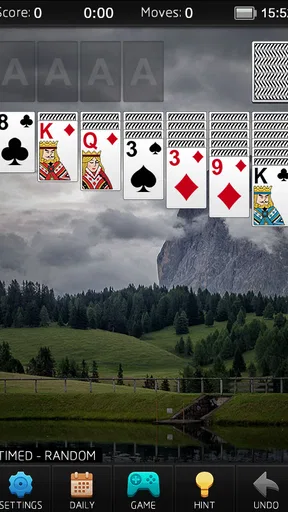
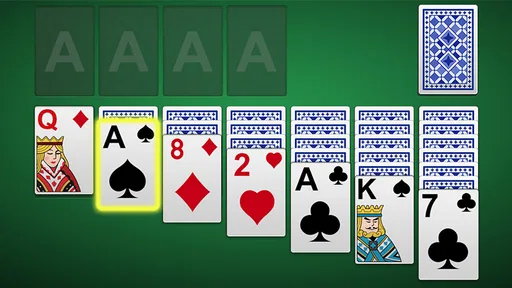
The graphics are pretty slick too. It's not over-the-top flashy, but it’s polished enough to make the experience visually appealing. The cards are clear, and the animations are smooth, which makes for a seamless gameplay experience.
And let's not overlook the customization options. You can change the background and card design to suit your mood. Feeling fancy? Go for a royal theme. Want something calming? Opt for a more minimalistic look. It's a neat way to personalize your gaming experience.
Making a round fit real life
The practical strength of this kind of card game is that I can stop between decisions without needing to remember a complicated plot or a long sequence of actions. On a bus ride, during a quiet lunch break, or while waiting for someone, I can play a hand and put the phone away when the moment ends. For that use, the familiar rules are a real advantage: I spend my attention on the cards rather than tutorials.
There is a trade-off, though. The low-pressure format is not the same as a game designed around deep strategy, a campaign, or regular interaction with other people. If I want a social card game, a multiplayer option is a better fit; if I want a new puzzle every time with a stronger sense of progression, another game may hold my attention longer. This one makes most sense when I want the recognizable rhythm of a solo deal.
When a move seems to stall, I use a short recovery routine instead of tapping at random. I look for a face-down card that could be exposed, check whether moving a king or another card would open a useful space, and then reconsider whether the stock has a card that changes the available sequence. If none of those checks reveals a worthwhile move, I accept that the hand may not be productive and start fresh rather than turning a casual break into a frustrating puzzle.
Game Modes and Challenges
Now, the app isn't just about the classic single-player game. You can take on daily challenges that add a bit of spice to your Solitaire routine. These challenges vary in difficulty, so whether you're a newbie or a seasoned pro, there’s something for everyone.
Plus, there's a nifty scoring system that lets you keep track of your progress. You can aim to beat your personal best or climb the leaderboard to see how you stack up against other players. It adds a competitive edge that keeps you coming back for more.
When a problem may be outside the game
If the app does not open or a screen appears slow, I would first check the ordinary things that affect any phone game: whether the device has a stable connection when a connected feature is involved, whether the phone has room to operate comfortably, and whether closing and reopening the app clears a temporary hiccup. I would also check that the device’s operating system is compatible. This release is version 5.8 and lists Android 4.0 as its minimum, so an older or heavily modified device may behave differently from a current phone.
For a challenge or leaderboard that does not seem to update, I would distinguish that from a problem with the card game itself. Try again later, make sure the phone is online, and see whether ordinary solo play still works. If the basic game is fine, there is little reason to reset everything or assume a saved result is gone. I avoid deleting an app as a first troubleshooting step, because that can risk local progress in games generally.
It is popular enough to be an easy recommendation for someone looking for this exact pastime: Solitaire has a 4.6 average from around 223,000 ratings and over 10 million installs. Those figures do not tell me whether every individual will enjoy it, but they do suggest that it has found a broad audience. The important question is whether you want a familiar solo card game or something with more variety and social play.
Wrapping It Up
In a world filled with complex games demanding your full attention, Solitaire offers a refreshing retreat. It’s perfect for those short breaks during the day or for unwinding before bed. Easy to pick up, hard to put down, and always satisfying.
So, if you're in the mood for a bit of nostalgia with a modern twist, this app is definitely worth a download. Whether you’re a die-hard fan of the original or new to the game, you’ll find something to love in this classic card game app.
My recommendation comes with one qualification: I would choose it for quick, familiar solo play, not because I expect every deal to be winnable or every session to feel new. The daily challenges and score chasing can give a regular player a reason to return, while the straightforward format stays welcoming for someone who has not played in years. If that balance sounds appealing, the free download is an easy one to try.
Privacy and Permissions
See what permissions an app requests and how it handles your data.
- Wi-Fi connection information
- view Wi-Fi connections
- Other
- view network connections, full network access, prevent device from sleeping
Verdict
Strengths of Solitaire
- Simple interface enhances user experience.
- Daily challenges keep gameplay fresh.
- Offline mode available for travel.
- Customizable card designs personalize play.
- Quick, responsive touch controls.
Limitations of Solitaire
- Ads can interrupt the game flow.
- Limited hints for difficult levels.
- No multiplayer mode available.
- Battery drain on older devices.
- In-app purchases for extra features.
Other Releases by Mouse Games
View All
Vigor Solitaire for Seniors
Card4.9
Similar Picks in This Category
View All
Solitaire - Classic Card Games
MobilityWare4.6

UNO!™
Mattel163 Limited4.3

Spider Solitaire: Card Games
MobilityWare4.6

Solitaire.com - Classic Cards
Tripledot Studios Limited4.7

Plants vs. Zombies™ Heroes
ELECTRONIC ARTS4.1

Hearthstone
Blizzard Entertainment, Inc.4.1
Frequently Asked Questions
What features does the Solitaire app offer?
The Solitaire app is packed with features such as customizable card designs, daily challenges, and varying difficulty levels. It provides an intuitive interface that allows both left and right-handed play. The app also includes hints and undo options to aid gameplay and a statistics tracker to monitor your progress.
Is the Solitaire app free to download and play?
The Solitaire app is free to download and offers many features at no cost. However, it may include in-app purchases for additional themes, ad-free experiences, or extra hints. These purchases are optional and not required to enjoy the full gameplay experience.
Does the Solitaire app require an internet connection?
The Solitaire app can be played offline, making it an excellent choice for users who want to enjoy the game without an internet connection. However, some features like daily challenges or leaderboard updates may require you to be online to access them.
How can I customize my gameplay experience in the Solitaire app?
Customization options in the Solitaire app include choosing from various card backs, game backgrounds, and themes. You can also adjust sound settings and select different scoring modes. These options allow players to tailor the game to their personal preferences and enhance their overall experience.
Is the Solitaire app available for both Android and iOS devices?
Yes, the Solitaire app is available for download on both Android and iOS platforms. It is compatible with most devices and provides a seamless experience across different operating systems. Users can find the app on Google Play Store for Android devices and the Apple App Store for iOS devices.
Play our best games!


